Brief summary of problem (put in title as well): Five small Winddows display issues: passband hides spectrum trace, blank frequency digits, pop-out meter can’t be moved, clipped control panel, qt.svg warnings (v3.0-beta4)
Radio Model: Icom IC-7610
Connectivity (USB/Ethernet/Wifi/Other): Ethernet (native Icom LAN)
Operating System: Windows 10 22H2 (x64), two monitors at different scaling (100% and 125%)
wfview version (press “About”): v3.0-beta4, built from source (Qt 6.10.3, MSVC 2022, x64). Found on v3.0-beta3; the affected code is unchanged in beta4, and the attached patch applies to it cleanly.
Checked the wfview manual (Y/N): Y
Checked the wfview FAQ (Y/N): Y
Tried to google it (Y/N/NA): Y
These are five small, unrelated Windows display problems, grouped into one report to keep the issue count down. Each has its own commit in the attached patch file (H-display-fixes-patch.txt, 5 commits, apply with “git am”; 5 files, +20 / -37). The patch file was renamed with a .txt extension to allow uploading here.
H-display-fixes-patch.txt (9.7 KB)
What I did / Expected behavior / Observed behavior:
-
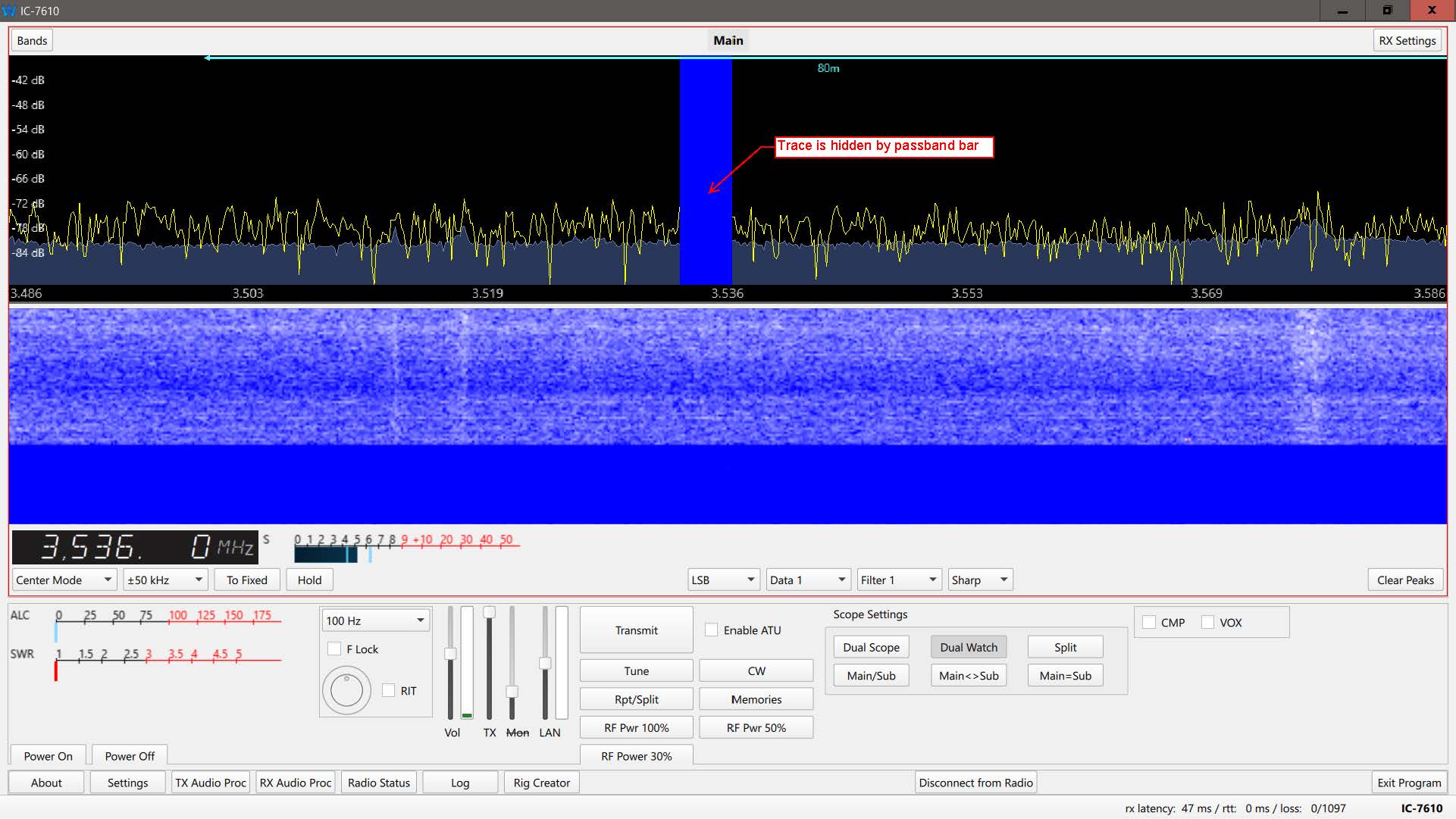
Spectrum passband hides the live trace
What I did: used a colour preset with an opaque passband colour (presets 2-4 use the default opaque Qt::blue).
Expected: the real-time spectrum trace stays visible inside the passband.
Observed: the passband (and PBT) rectangles are painted on top of the spectrum line, so the trace disappears inside the passband.
Cause: in spectrumitem.cpp the passband and PBT nodes are appended to the scene graph after the spectrum line.
Fix: draw passband and PBT right after the grid, so the spectrum fill and line render over them. The tuning line is still on top. -
Frequency display goes blank after moving the window to another monitor
What I did: dragged the main window from a 100% monitor to a 125% monitor.
Expected: the frequency display below the waterfall keeps showing the frequency.
Observed: the digits disappear. Hovering the mouse over the display makes them come back.
Cause: a scale change alters the device pixel ratio but not the item geometry, so geometryChange() isn’t called. paint() recreates the offscreen pixmap and redraws the background, but no digit is marked modified, so drawDigits() draws nothing.
Fix: in freqctrlquick.cpp, mark every digit modified whenever paint() recreates the pixmap. -
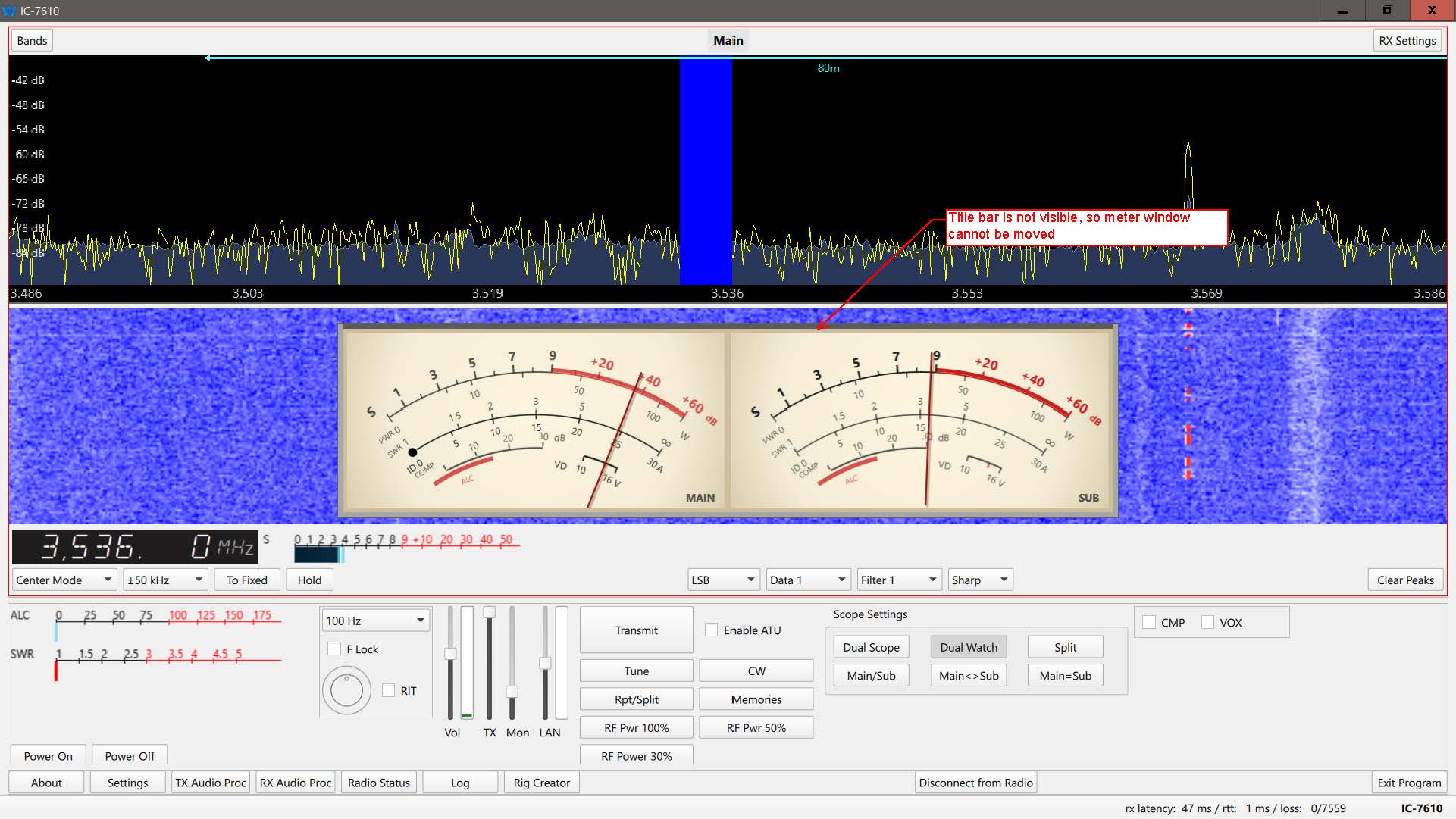
Pop-out meter window has no title bar and can’t be moved
What I did: popped out a meter.
Expected: a normal window that can be dragged by its title bar.
Observed: on Windows it has a resize border but no title bar, so it can’t be moved.
Cause: MeterPopoutWindow.qml sets flags to Qt.Window | Qt.WindowStaysOnTopHint. Explicit flags on a QML Window replace the default decorations.
Fix: also request Qt.WindowTitleHint, Qt.WindowSystemMenuHint and Qt.WindowCloseButtonHint. Closing the window already turns the pop-out off. -
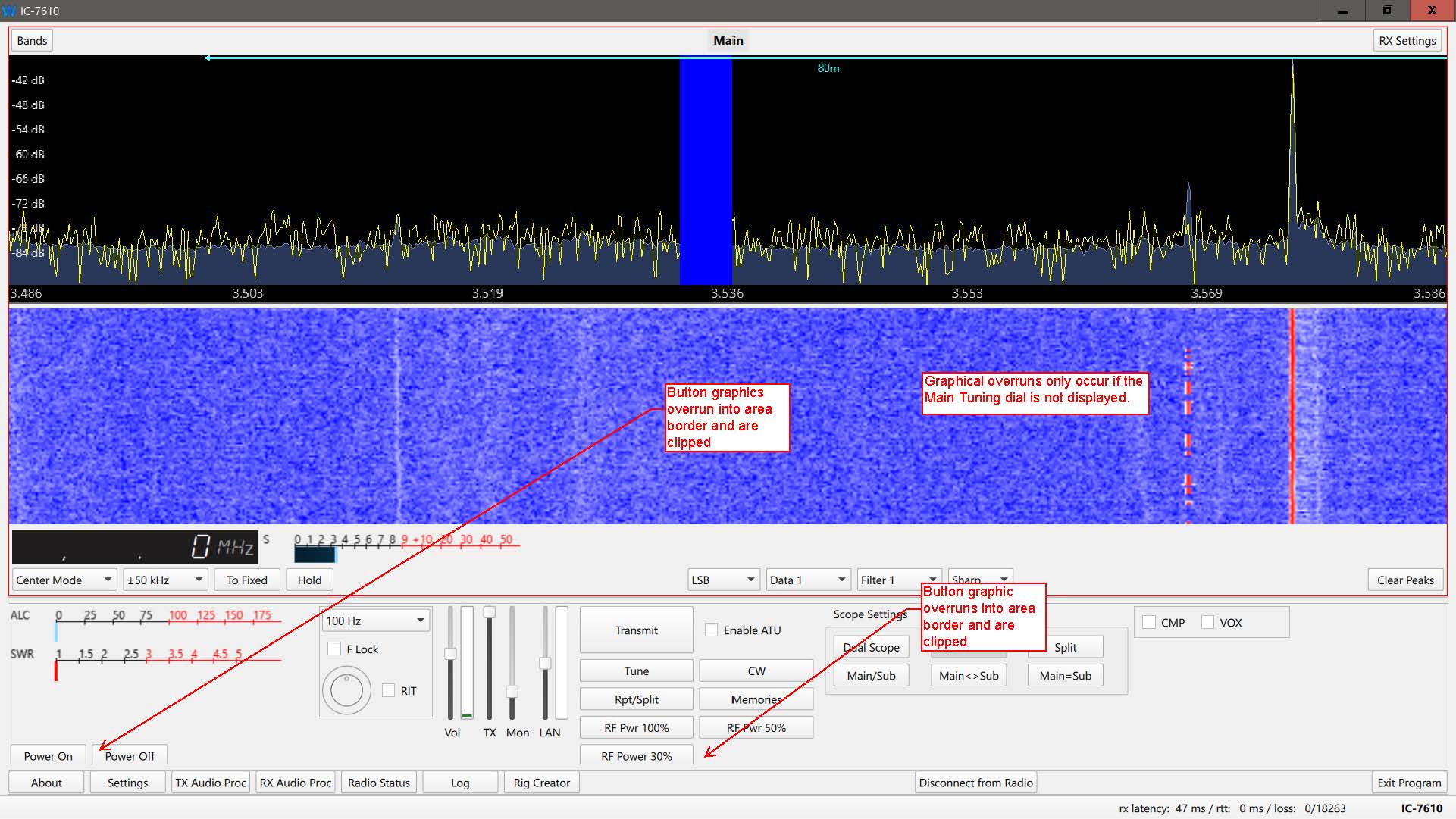
Main control panel is clipped at the bottom
What I did: turned off “Show tuning dial”.
Expected: the panel with the meters, Power buttons and level sliders fits inside its border.
Observed: the Power On/Off buttons and the Vol/TX/Mon/Mic labels run into the panel border.
Cause: in MainWindow.qml, mainGroup’s Layout.preferredHeight is the height of its contents without the Frame’s top and bottom padding. With clip: true, the bottom 6 px are cut off and the border is drawn across them. It shows when everything fits on one row of the Flow.
Fix: include the padding in the height (mainGroup.fullHeight, also used when heightReleaseTimer restores the binding), and drop the padding term from the window’s minimumHeight, which only compensated for it. -
Six qt.svg warnings in the log on every run
What I did: started wfview (the logo is shown while disconnected).
Expected: no warnings.
Observed: every time the logo loads, the log gets
qt.svg: :\resources\wfview.svg:124:30: Could not add child element to parent element because the types are incorrect.
(and the same for lines 128 and 132), six lines per run.
Cause: wfview.svg defines an Inkscape “Electrize” filter (filter8799) whose feFuncR/G/B elements Qt SVG can’t handle. Nothing in the drawing uses that filter.
Fix: remove the unused filter. The logo looks the same.
All five fixes were tested on my IC-7610 setup (both monitors, all colour presets I use, tuning dial on and off).
Screenshot images showing some of the issues are attached, as follows:
Passband.jpg
Meters.jpg
Buttons.jpg
I was only allowed to upload three images. I have additional images available on request.
AI disclosure: diagnosed and fixed with Claude Code (Anthropic, Claude Opus 5.5), using wfview’s MCP diagnostics, logs and the source. I tested each fix on my own setup.
H-display-fixes-patch.txt (9.7 KB)
Thanks, WD9U / Mark